
Purpose
This plugin takes a point layer and a line layer and projects the points to the lines to create a csv file of the station and offset so the data may be evaluated and plotted.
The goal if this plugin in to simplify data processing so that the user can get to the data without a large learning curve.
Table of Contents
How to use
Before you begin you will need a shapefile with the points to be projected and attribute fields for point number, elevation, and description and a polyline shapefile with the cross-sections or longitudinal alignments to project the points to these lines should have an attribute with the line name.
Stream Tools station offset tool may be found in the Processing Toolbox under Tailwater Limited -> Stream Tools
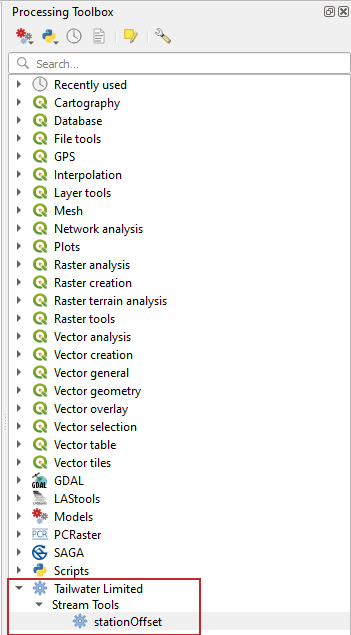
The processing menu will load and ask the user to input the files and fields associated with each of the parameters. The user may specify a maximum offset to report, this allows points to be easily weeded to those points of interest. The user should specify an output filename for the csv file.

The output is a csv file that looks like the following:

The alignment name point number, station, offset, elevation, and description are shown. Points that had an offest greater than the maximum offset list station and offset "Out of Range". Functions in spreadsheet applications can be used to sort and filter these values for use in other programs.
Installation
Download installation zip file: Station_offset-main_v1.0.1.zip
1) In QGIS open the Plugins menu select Manage and Install Plugins....

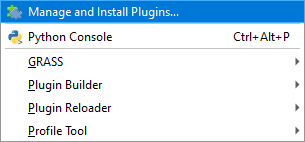
2) On the lefthand side of the menu select Install from ZIP
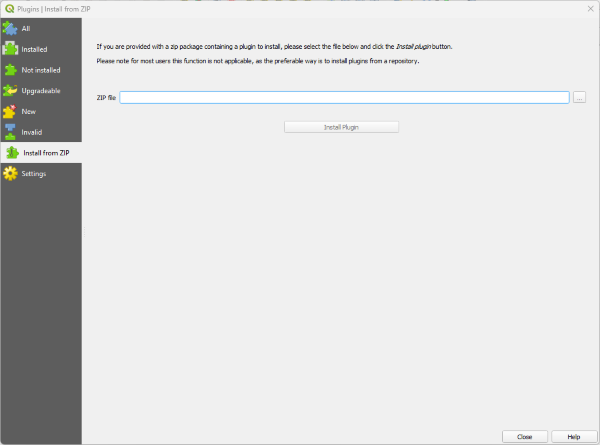
3) Browse to the zip and select Install Plugin


 About Us